Cron with eyes
Your scriptsshouldn’t fail quietly.
Nightjar records every scheduled run and alerts you when one fails, times out, or goes missing. Commands and logs stay on your Mac.
Install with Homebrew
brew install --cask piyushpradhan/nightjar/nightjarmacOS 13+ · Apple silicon
Direct DMG: right-click Nightjar and choose Open on first launch.
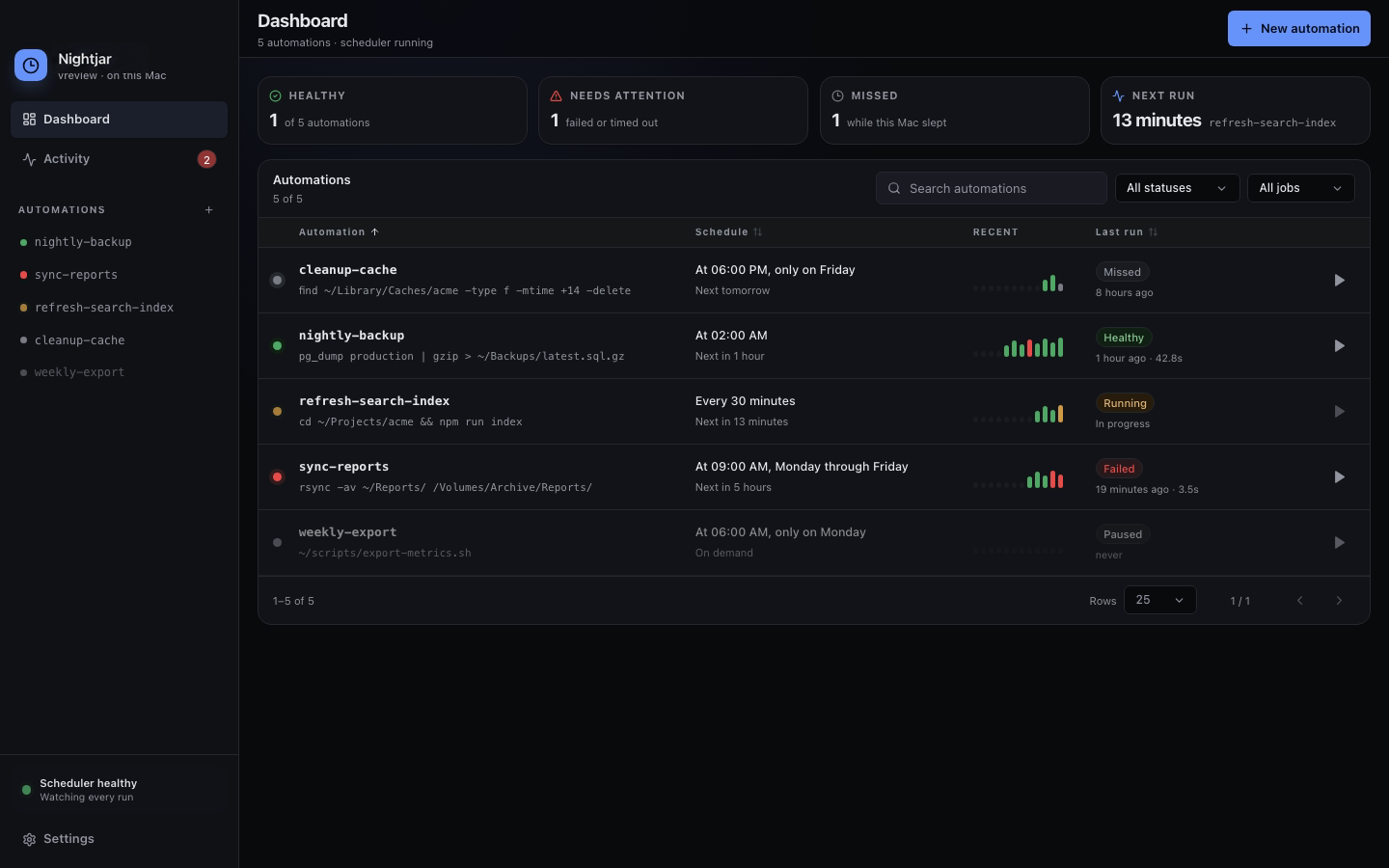
Every run, recorded.Output, exit code, and duration in one timeline.
Failures find you.Native and optional email alerts cover every scheduled deadline.
Local by design.Your commands and logs never leave your Mac.
Watch Nightjar in action
See what happens after the schedule fires.
Watch the quick failure demo, then follow the full path from a silent cron job to captured output, missed-run evidence, and an alert.
Try it on your scriptA failed job, captured.
See a silent exit code become a visible run and a native macOS alert.
The whole failure trail.
Follow missed schedules, captured output, native alerts, and the optional email watchdog.
Before you install
The useful details.
What is Nightjar?
Nightjar is a private run ledger and failure inbox for scheduled scripts on macOS. It records output, exit code, and duration for every run, then sends a native notification when a job fails, times out, or is missed.
Isn't cron free?
Yes. Cron schedules commands well, but it does not keep useful history or alert you when something breaks. Nightjar adds the record and the warning. You are paying to know what happened.
Does Nightjar replace cron?
For scheduled jobs on your Mac, yes. Nightjar runs jobs with its own scheduler and can import your existing crontab. Your scripts do not need to change.
What happens while my Mac is asleep?
Local commands cannot run while the Mac is asleep. Nightjar’s optional cloud watchdog independently watches their deadlines and emails you when a run does not start, even if the lid is closed.
Does any run data leave my Mac?
Commands, output, paths, environment variables, and run history remain on your Mac. If you enable email monitoring, Nightjar sends the operational metadata needed to detect missed runs, including job names, IDs, deadlines, timing limits, run times, and status. It never sends commands or logs. A verified email and license validation are required; no account is required.
Is it a subscription?
No. Try the complete local app free for 14 days, then pay $19 once. The optional email watchdog is included after activation. One license covers one person on every Mac they use, with all v1 updates included and a 30-day, no-questions refund.